A nice little textbox for everything you type.

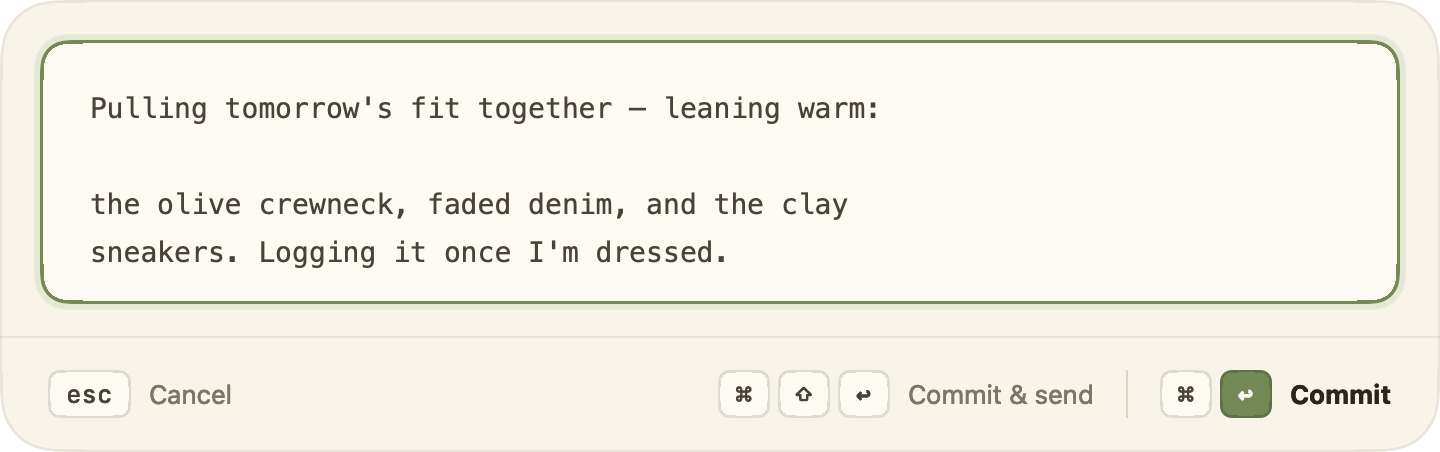
For the times a cramped little input field isn't enough — when you end up needing to jot more than a few words. One shortcut summons a focused editor over whatever app you're in; write in calm, then commit it straight back into the field, or commit & send in a single keystroke.

Press  ⌃ ⌥ ⌘ E  anywhere · Free · macOS 14+

The textbox editor floating with a warm cream card, sage focus ring, and the keyboard hint rail.
Auto-growing

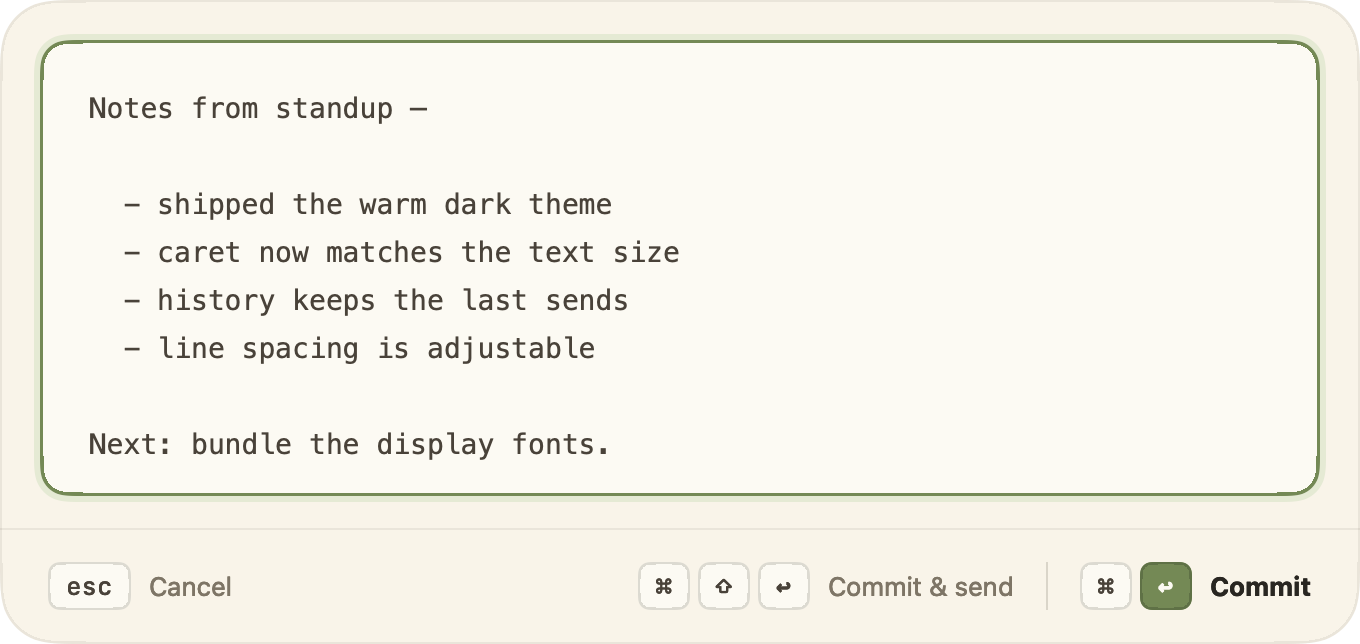
It opens to fit the thought.

Start at a tidy few lines. As your sentence runs long, the box settles open to make room — never a cramped one-liner, never a vast empty void. Set the resting size and let it breathe from there.
Default lines Grows as you write Adjustable width
The editor grown to fit a multi-line note.
A safety net

Nothing you write goes missing.

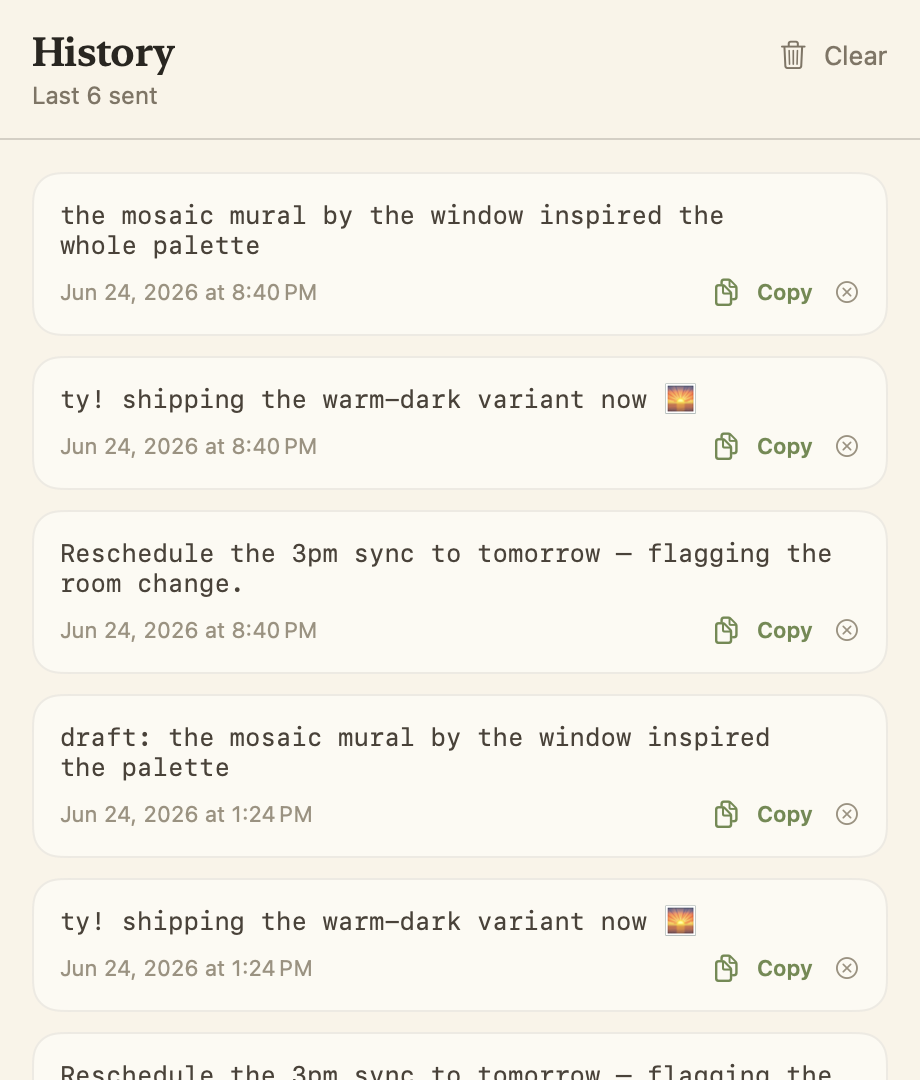
Every commit is quietly copied to your clipboard, so the text survives even when it can't be injected. And the last items you sent stay in a tidy History you can reopen, re-read, and copy from — anytime.
Clipboard fallback History of sends Stored locally
The History window listing recent sent items with copy buttons.
Yours to tune

Set it to your hand.

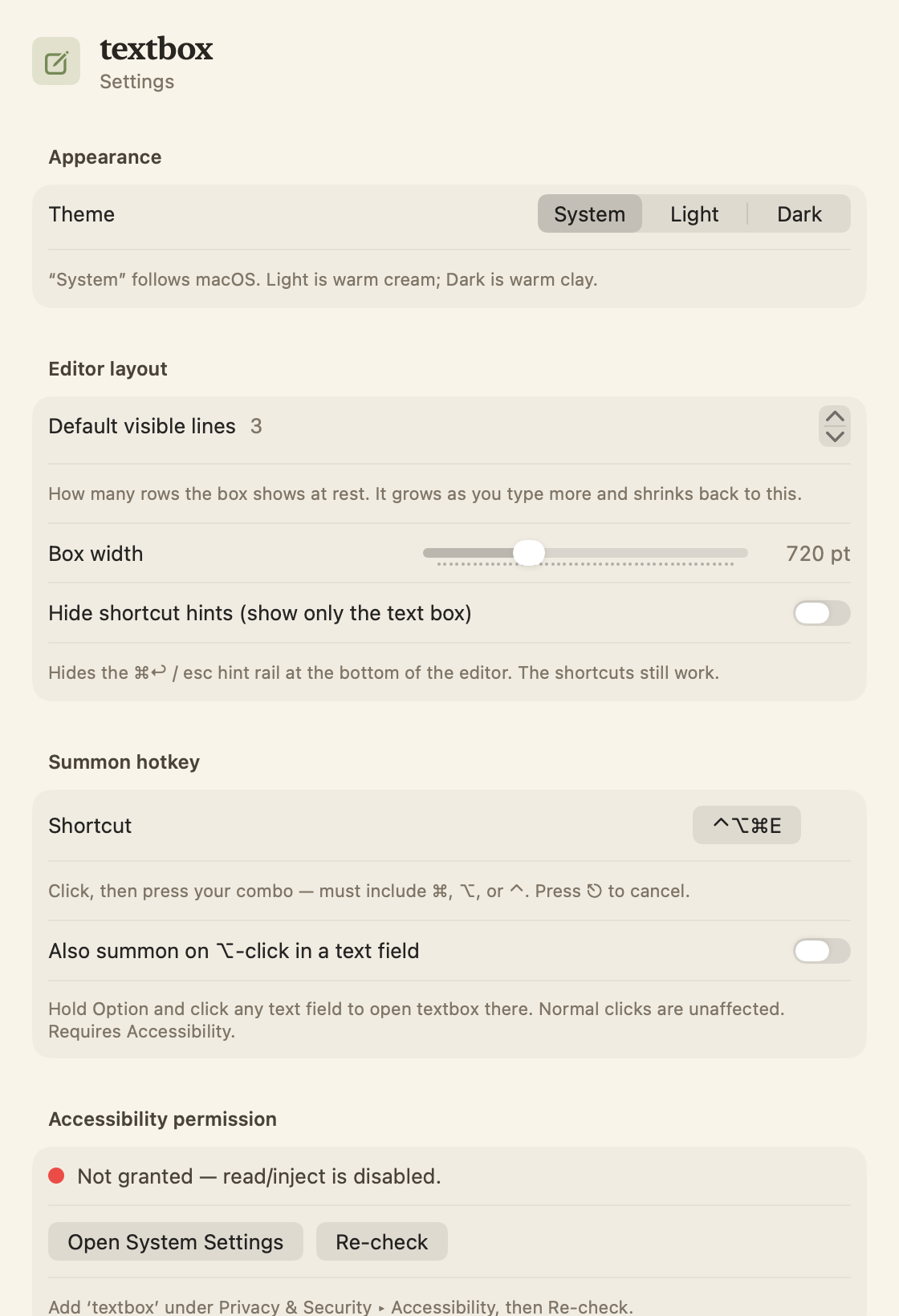
Light, dark, or follow the system. Choose the font, text size, and line spacing; set the default lines and width; or hide the hint rail entirely once the chords are muscle memory.

And for advanced users, there's a Terminal mode. Instead of the native box, textbox opens your real command-line editor — vim, nvim, nano — running inside an embedded terminal (powered by libghostty). The same ⌘↩ commit drops the result straight back into the field, so you get the editor you already live in without ever leaving the keyboard.
Light · Dark · System Line spacing Font & size Terminal mode
The textbox Settings window in the warm theme.

Four chords. That's the whole language.

E
Summon
Open over any field
Commit
Drop it back in the field
Commit & send
…and press Return
Cancel
Walk away clean

Warm by day. Warmer after dark.

Cream and clay — never a cold gray in sight. The whole app, and this page, shift together.

↑ go on, it changes the screenshots too

Bring it home.

Free, lives in your menu bar, out of the way until you need it.

Free · macOS 14 or later